How to Make the Burning Bridges AI Video (Step-by-Step Guide)
Updated October 10, 2026 · 6 min read
Quick answer
To make the Drake Burning Bridges AI video, upload one clear, front-facing photo to a generator with the chandelier party scene built in, pick a quality and download the 15-second clip about two minutes later. Then post it on TikTok or Reels with the official “Burning Bridges” sound. You can also use Higgsfield’s character swap, a CapCut template, or film the moves yourself.
Method 1: Make it from one photo with an AI generator
The fastest way. The party room, the crowd and the moves are already built in, so all you bring is a photo. Here’s how it works on Burning Bridges Video.
Step 1: Upload your photo
Drop a photo into the upload box or tap it to pick one from your phone. One person, pet or character, face clearly visible.
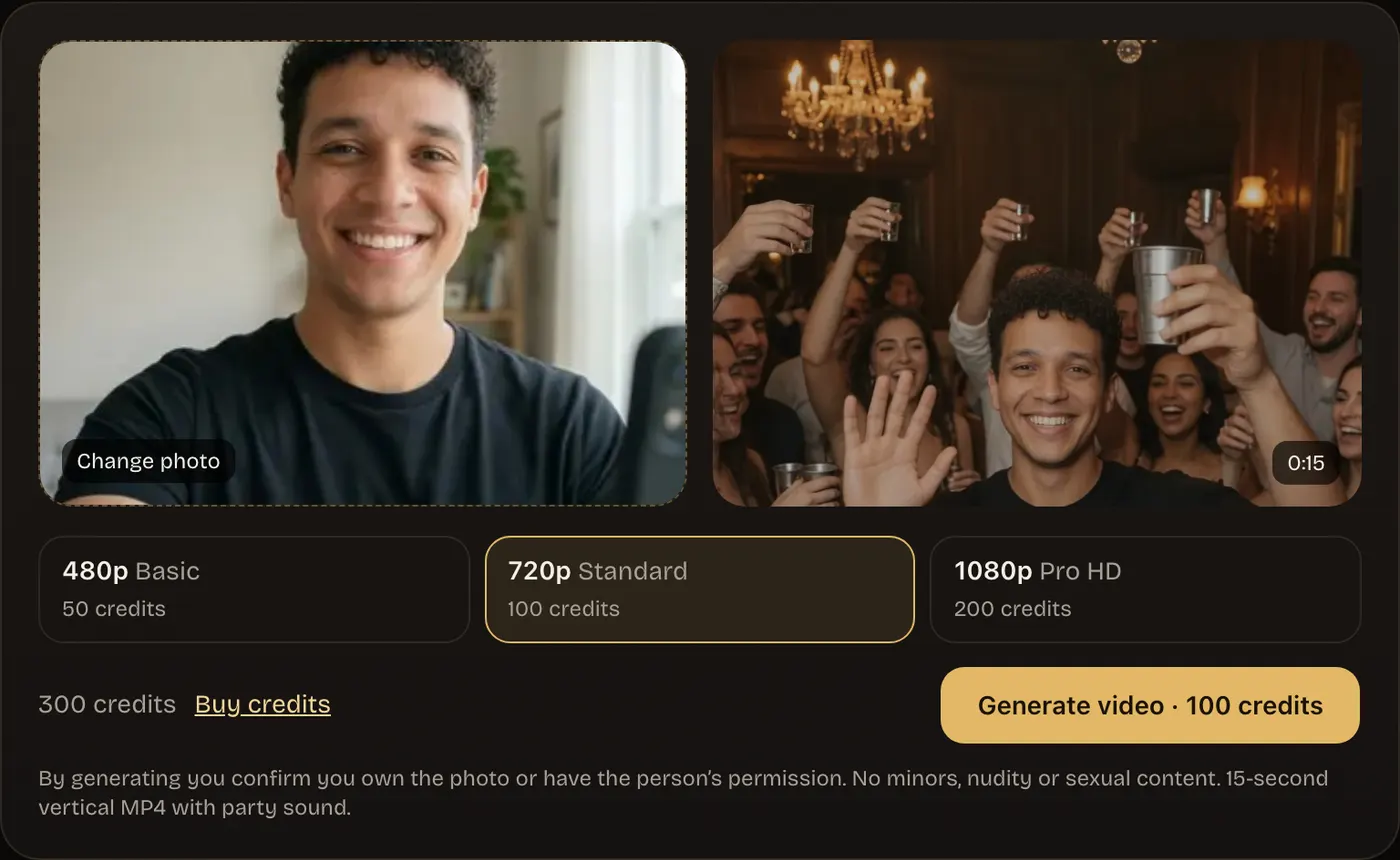
Step 2: Pick a quality
480p (50 credits) for a quick test, 720p (100 credits) for TikTok and Reels, or 1080p (200 credits) for the sharpest result. You see the credits before you generate.

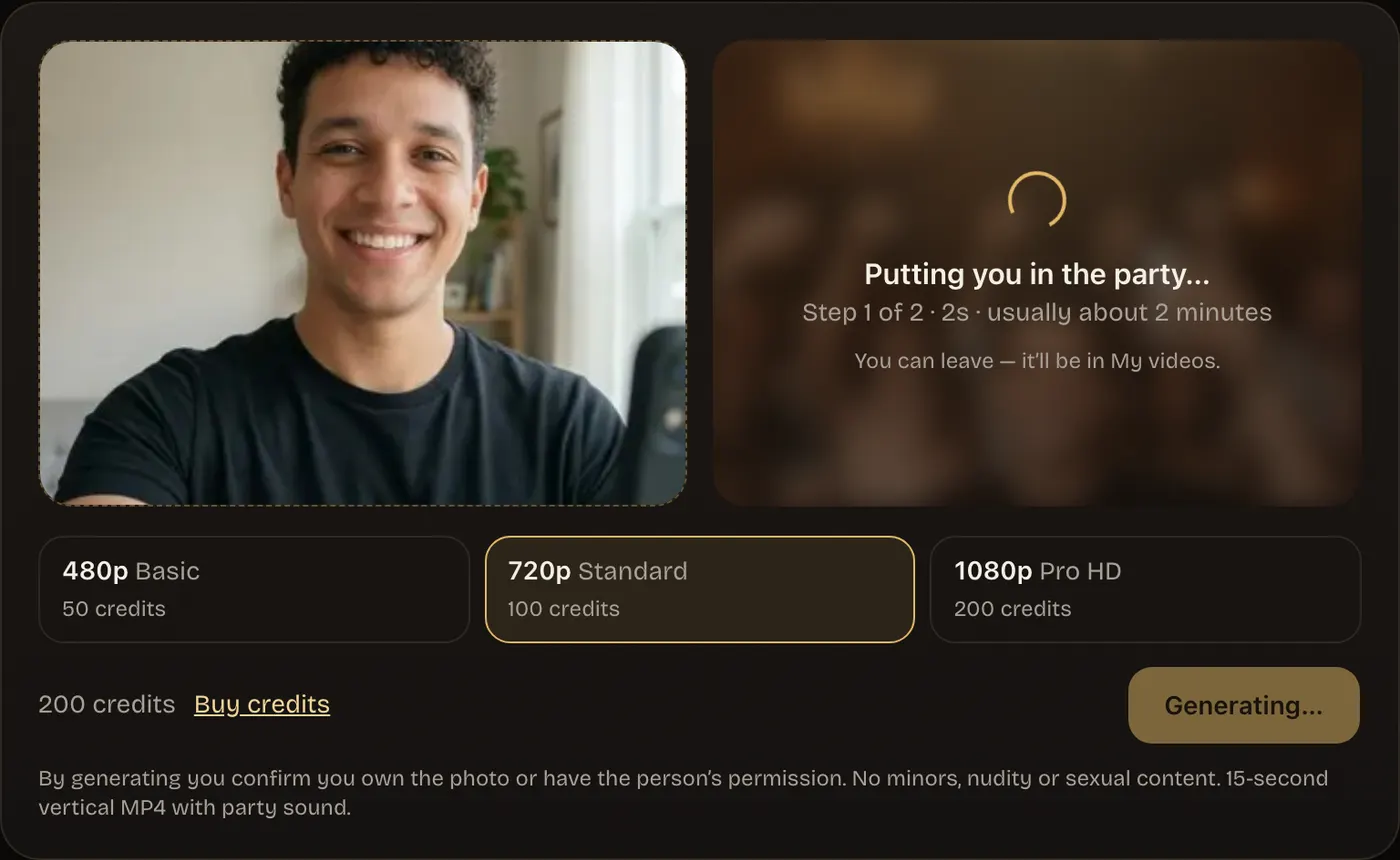
Step 3: Generate
The generator first places you in the chandelier party, then films the clip: wave, cup up, the “where she at?” look, a point at the lens and a turn to the crowd. It takes about two minutes, and you can leave the page; the video waits in My videos.
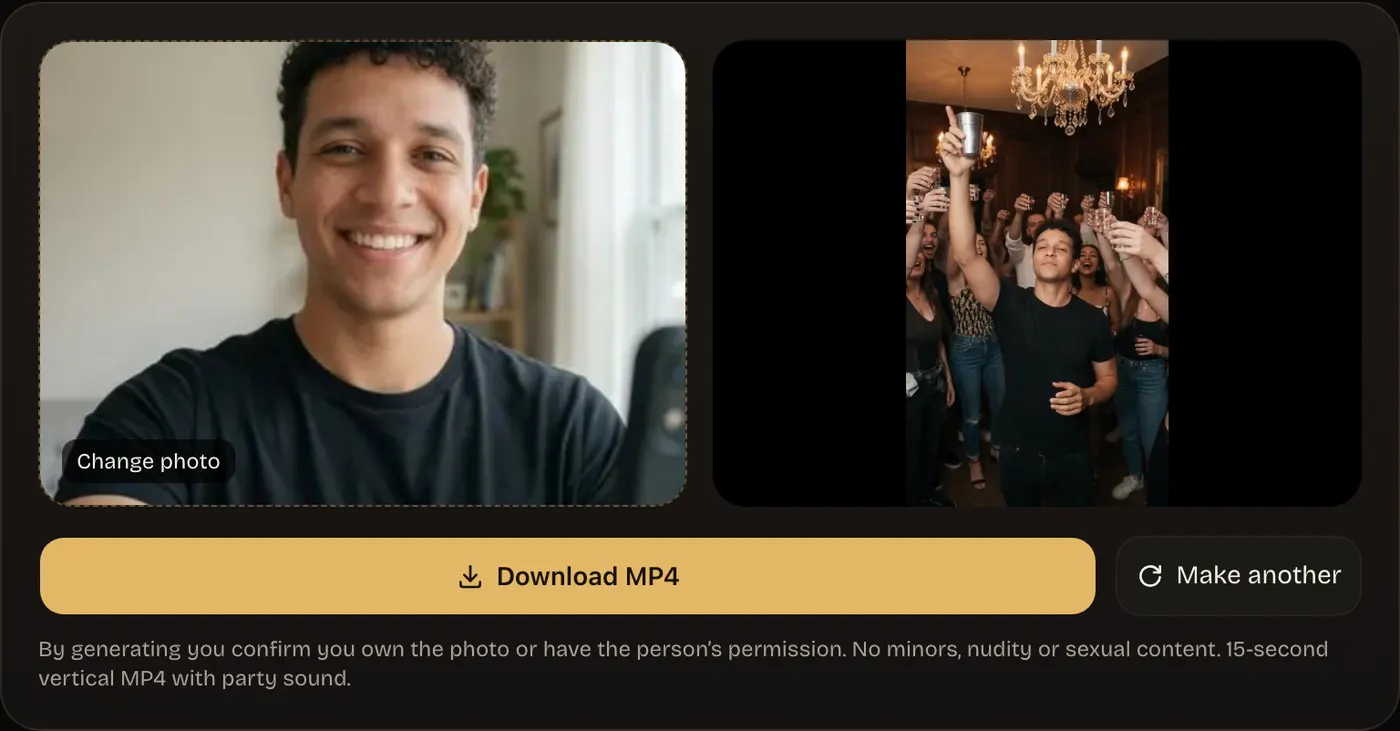
Step 4: Download and post
Watch it, download the MP4 and post it. If a video fails, its credits come back automatically.
Choosing the right photo
The photo decides how much the video looks like you. Every method here, AI or not, works better with a good one.
Use
- Front-facing, eyes visible
- Bright, even daylight
- Just you, waist-up or full body
- The outfit you want in the video
Avoid
- Sunglasses, masks, hands over the face
- Group shots (crop to one person)
- Dark, blurry or heavily filtered photos
- Photos of anyone who hasn’t agreed
Method 2: Higgsfield character swap
Many of the first viral clips were made this way. You swap yourself into a clip of the party scene, so you need that clip and a few photos of yourself.
- Open Higgsfield and choose its character-swap tool (Genjutsu).
- Add a short clip of the party scene as the reference video.
- Upload 1–3 clear photos of yourself: front, three-quarter and full body.
- In the prompt, ask it to change only the person in the center and keep the crowd and room.
- Generate 3–5 takes and keep the best; each take uses paid credits and takes several minutes.
Method 3: CapCut template
Free, but templates come and go by region and app version, and most only edit a clip you already have rather than building the party for you.
- Open CapCut and go to the Templates tab.
- Search “burning bridges” or “drake party”.
- Pick a template with lots of recent uses and tap Use template.
- Add your photo or clip, preview it, then export to TikTok.
Method 4: Film it yourself
No AI at all: recreate the moves at a real party. Here are the beats in order, roughly three seconds each.
| Time | Move |
|---|---|
| 0–3 s | Wave at the camera with a big smile |
| 3–6 s | Raise your cup up beside your head, nod to the beat |
| 6–9 s | Shade your eyes with one hand and scan the room: “where she at?” |
| 9–12 s | Point straight at the lens and laugh |
| 12–15 s | Turn to the crowd, cups up, everyone cheers |
Tip: warm lighting and a friend filming handheld at chest height get closest to the original look.
Making the Burning Bridges AI video with your pet
Dogs and cats work too. Instead of human moves, the pet does the same beats its own way: lifts a paw to wave, nudges the cup with its nose, looks around the room, stares into the camera and turns to the cheering crowd.
- Use a photo where the pet faces the camera, head fully visible.
- Sitting or standing photos work better than lying down.
- One pet per photo; crop out people and other animals.
- Results vary more than with people, so 480p is a cheap first try.
Posting it with the official Burning Bridges sound
- Open TikTok (or Instagram Reels), tap + and upload your video.
- Tap Sounds and search for “Burning Bridges” by Drake; pick the official sound with the most videos.
- Lower the original audio so the song carries the clip, and line up the first wave with the beat.
- Add the trend’s hashtags, such as #burningbridges and #burningbridgesai, and post.
Using the platform’s own sound keeps your post on the trend’s sound page and avoids copyright mutes. Our videos come with party ambience you can keep or turn down.
Troubleshooting
| Problem | Fix |
|---|---|
| The face doesn’t look like you | Use a sharper, front-facing photo in daylight with no sunglasses or filter. |
| The wrong person or a mix of people | Crop the photo to one person before uploading. |
| The cup melts into a hand or switches hands | A known glitch in fast motion: generate again. |
| The video looks soft | Choose 720p or 1080p; a low-resolution photo can’t be sharpened. |
| Muted on TikTok | Add the official sound from TikTok’s library instead of uploading the song. |
| Generation failed | Your credits are refunded automatically; try again in a minute. |